
 Wrike (https://www.wrike.com) is a powerful cloud software tool for project management, planning, and team collaboration. Trusted by over 15,000 organizations — including small, mid-size and enterprise Fortune 500 companies, Wrike was included as one of the fastest growing companies in North America on Deloitte’s Technology Fast 500™ List for the third consecutive year.
Some of the key project management features include:
Assignment and scheduling of tasks, review activity streams wherever you go, attach existing files and images right from your phone. You can view & adjust projects in List, Board, Gantt Chart or Workload views and track time spent of tasks and access your personal and shared Dashboards.
A quick and easy project management tool for small and large companies.
Android : http://bit.ly/2BCyVMD www.wrike.com iOS: https://apple.co/31FODkH
 GQueues from Google is a full-featured task manager for your Google Account that helps you stay organized, be more productive and reduce stress in your life. It is intuitive, powerful and reliable in all aspects. You may access it from your phone (Mobile app) as well as online from the web. It integrates perfectly with the Google Calendar and any attachments to your tasks can be conveniently stored in Google Drive!
 PaperVideo is an ed tech start-up with an audacious goal: the creation and delivery of quality education resources that allow every student in India to gain instant access to excellent teachers and the best curriculum.
 Draw.io (
 Browsing the net from your phone has its own share of risks. Prying eyes, stealing bots, and what not. A VPN (Virtual Private Network) shields you from the perils of such predators. NordVPN app lets you enjoy secure and private internet access in just a single tap – on your smartphone, tablet, or your Android TV.
 This Mobile App is an alternate way to register consumer related grievances on the portal
  The need for speed is exhilarating. However, we also need to adhere to traffic rules and discipline. But sometimes, when you are in an unknown locality and do not know the speed limits and may miss the signs, this is an invaluable tool to know your limits and also where the Speed Cameras are located.
 These days, with all the issues being raised on privacy with apps which are widely used (like WhatsApp), it may be worth looking at apps which are not so popular, but perform the same functions. Since such apps are not so widely used, they may not be a target for poachers. Rainbow is one such app.
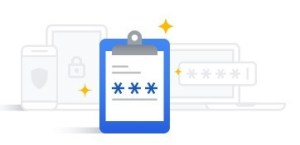 This Google password manager helps you see, change, or remove passwords you saved in your Google Account. You can have Chrome remember your passwords for different sites. To use your passwords on different devices, turn sync on in Chrome, and when it asks you whether you wish to save your password securely, it allows you to do so.
 This is an interesting website for everyday health. As the name suggests, it presents medical knowledge in an easily accessible form and provides you advise which can be implemented in day to day life. There are free newsletters, symptom checkers and also drug finders. The calorie counter, meal planner and recipes sections help you plan your eating habits appropriate to your body type and region.
 On-lyneTech