
 Browsing the net from your phone has its own share of risks. Prying eyes, stealing bots, and what not. A VPN (Virtual Private Network) shields you from the perils of such predators. NordVPN app lets you enjoy secure and private internet access in just a single tap – on your smartphone, tablet, or your Android TV.
This app keeps your online activity private from ISPs, advertisers, and other snoopers. It also secures your internet traffic with military-grade encryption so that no one can get their hands on your online data. When you browse the net, it also changes your IP address so that you appear to be browsing from a different location. With servers in 60 countries – you could be browsing from any country without anyone knowing. And, if you hop on to any WiFi network, you can rest assured that your sensitive data is safe – the CyberSec feature protects you from malware, spyware and other malicious content. And all this, without compromising a bit on speed!
Be fast and secure with NordVPN, a small price to pay for safety!
Android: http://bit.ly/2nnTVmT iOS: https://apple.co/2oTBMh4
 This Mobile App is an alternate way to register consumer related grievances on the portal
  The need for speed is exhilarating. However, we also need to adhere to traffic rules and discipline. But sometimes, when you are in an unknown locality and do not know the speed limits and may miss the signs, this is an invaluable tool to know your limits and also where the Speed Cameras are located.
 These days, with all the issues being raised on privacy with apps which are widely used (like WhatsApp), it may be worth looking at apps which are not so popular, but perform the same functions. Since such apps are not so widely used, they may not be a target for poachers. Rainbow is one such app.
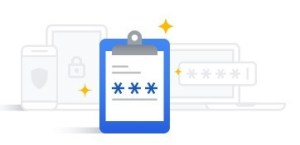 This Google password manager helps you see, change, or remove passwords you saved in your Google Account. You can have Chrome remember your passwords for different sites. To use your passwords on different devices, turn sync on in Chrome, and when it asks you whether you wish to save your password securely, it allows you to do so.
 This is an interesting website for everyday health. As the name suggests, it presents medical knowledge in an easily accessible form and provides you advise which can be implemented in day to day life. There are free newsletters, symptom checkers and also drug finders. The calorie counter, meal planner and recipes sections help you plan your eating habits appropriate to your body type and region.
 We Flip is a part of the Digital Wellbeing Experiments with a goal to improving your online and offline lives.
 In today’s times, more cameras are sold on phones than standalone. And we all use them so casually, without bothering to optimize their performance. So, if you want to improve upon your photos, just head to
  Do you need to drink a little more water? This app is aimed at helping you do so. Once you install the app, it will ask you a few questions about your health and lifestyle, after which the app will tell you exactly how much water you should be drinking each day to stay hydrated.
 Tidy is a very good Photo sorter. Sort your gallery with simple gestures – drag and drop photos and videos into folders! Create extra space storage in an Intuitive, Simple, Fast and most important fun way.
 On-lyneTech