Medindia.net is one of the most comprehensive health websites, not only for Indians, but for health information seekers from over 230 countries. Medindia’s content covers a broad spectrum of health topics – health articles, news, in-depth special reports, interactive health calculators, polls, quizzes, animations, slides and videos. Other topics cover areas such as lifestyle and wellness, diet and nutrition, as well as Yoga and Alternative Medicine. In addition, they have a plethora of home remedies for every conceivable ailment.Medindia also has one of the most comprehensive databases of information on Indian drugs and pricing including data on both brand names and generic equivalents. It also has one of the largest collections of healthcare directories containing names, addresses and other details of doctors, hospitals, chemists, medical colleges, pharmaceutical companies, ambulance services, blood banks, eye banks and NGOs. All information is presented in a user friendly and easily searchable format. Interesting information, presented in a lucid style on multiple platforms. A great resource for quick reference.

Category: Uncategorized
How I Work – 144 – Google Keep
Google Keep is one of the best tools to keep yourself uptodate. Take notes of whatever you need, wherever you need and recall any time, any where !
Notes could be text, pictures or lists with check boxes. They may be for personal or official use. You could type them from your phone, or computer. You can also take pics or take voice memos from your phone and store them as notes. The notes can be color coded in eight different colors for easy visual access. You can also share your notes with whomsoever you desire.
And, of course, you can set reminders. The reminders could be based on date and time and also on where you are !! Imagine going to the market and up pops a reminder about the numerous things you need to buy. Or visiting a particular client and you have a list of pending issues coming up on your phone !
Keep is a wonderful tool which you can use from your phone, computer, laptop or tablet. Available on Android, iPhone and Computers. Start using Keep and you will Keep using it forever !
How I Work – 142 – Fare IT
With all the conversion to digital, Taxi and Auto Meters are also now electronic. But this does not prevent our innovative Mumbai Taxi and Auto Drivers from manipulating their meters.
Fare IT is a unique app developed by a couple of IIT techies. Start the app and click on Start Journey when you commence and click on End Journey when you reach your destination. The distance and waiting charges are all computed and you will get your correct fare. Most of the time the fare is accurate unless you have GPS interruptions. The fares are computed for Autos, Taxis and Cool Cabs. There is also an option to find the shortest route.
If you feel cheated, the nearest RTO telephone nos. are also available in the app. Just call the RTO helpline and log your complaint on the spot ! The app consumes minimal battery and can run in the background for the duration of the trip, so you can make and receive calls and messages while the “meter” is on !
Bad news for dishonest drivers and music to the ears for the honest customer !
How I Work – 141 – HelpChat
Do more. By Doing less ! Helpchat is a chat based personal assistant app that helps you get more things done. This could be anything – from recharging your phone to tech support, travel booking, holiday guidance, ordering groceries and food at your doorstep, providing shopping assistance, helping you find the best deals & coupons, web check-in and laundry. Helpchat can get all of them done for you.
How I Work – 140 – Chore Monster
With kids handling smartphones, it becomes a pain to get them to do household chores. With Chore Monster, kids will beg to do their bit.
Parents can easily and quickly create chores with point values for each of them. When a chore is done, they can be approved and the child will get the points. Once the target points are reached, the rewards can be given in terms of a favourite food, an outing or a wonderful gift.
The kids get to see and review the points, the available rewards and how much they will need to achieve them. Along the way, they will also get to collect random monsters for added fun and surprise !
Now that you know how to get the chores done from your kids – try it on your spouse – after all, he is a kid too !!
How I Work – 139 – Epicurious Recipe
The Epicurious Recipe app comes from the award winning food site http://www.epicurious.com It carries more than 28,000 delicious, professionally tested recipes from across the world. It also features recipes from renowned magazines like Gourmet and Bon Apetit, plus from popular cookbooks, top chefs and leading restaurants.
How I Work – 138 – Magic Plan
With Magic Plan, everyone can make an inside map of a room or any premises within a few minutes.
There is no need to measure, draw or move furniture. All you do is to use your camera and click the corners of the floor or the ceiling and you have the plan readymade for you, including the dimensions. You can add objects or furniture as you deem fit.
Magic Plan is free to download and create the plans. You can share the plans with other Magic Plan users for free. If you wish to convert them into jpg, pdf or png files and if you wish to print your plan, there is a small fee.
It is very easy to understand and use. So if you are planning to create a drawing for your office or home premises, go for it ! It is the simplest floor mapping app which you will ever use !
How I Work – 137 – Four Letters
Four Letters is a simple game – you are given Four Letters and you have to compose a word. Within a time frame !
Well, it is not as simple as it sounds. Initially, the words are easy, to prod you on, and progressively they become difficult. You can correct your mistakes, rearrange the letters, all within the time frame. You can slide your fingers over the letters, to go faster.
Once you have high scores, you can share it with your friends on Facebook and also compete with them for higher targets.
One thing is sure, it sounds so simple that it could get addictive after a couple of rounds. You have been warned – enjoy !
How I Work – 136 – Sudoku Free
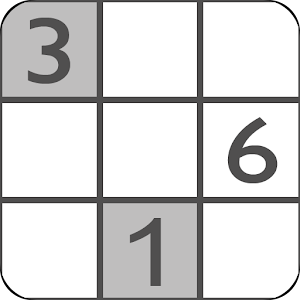
Sudoku Free from genina.com is a great game to be played on your Android Phone. Simple minimalistic design, a clean interface and many many options, make it such a craze, that you will never look for a paper puzzle again.
It has 4 difficulty levels and the ability to carry on from where you were interrupted. So, if you get a phone call in between and you have to exit the game, when you get back, you will be sure to find the puzzle exactly where you left it.
With Auto-save, Undo and Redo, Pencil marks, online competitions and much more, this is a game which can engross you for hours of fun ! Enjoy while you travel or when you are idling !
How I Work – 135 – Now Browser
The Now Browser is one of the slimmest for Android phones. It is therefore the fastest and the lightest of the lot, while giving full featured access to the web.
It has clocked double the speed scores against the more popular Chrome Browser by Google and it does not compromise many of its features. You get powerful tab browsing, navigation gestures, and much more. For a small payment, you also get in-built support for flash player, compression technology to minimize your data usage and some interesting Java tweaks.
Try it out, just for its speed and proceed to uninstall all other browsers on your phone !
https://play.google.com/store/apps/details?id=com.browser.nowbasic&hl=en