
Kaagaz is an Indian version of CamScanner. It is free to use and completely offline, which makes scanning documents easy while ensuring complete security of your data. Kaagaz is a perfect app to work as a camera scanner, document scanner or for multi page PDF scanning. Kaagaz is completely made in India by graduates of IITs.
You can easily scan assignments, notes, invoices, books or any text. Night scanning is possible with your camera flashlight. Autocropping with brightness and contrast options enhances the quality of your scanning. The scanned document can be saved in PDF or JPG formats directly onto your local storage or even on Google Drive, Dropbox, etc. For privacy, you could include a custom watermark on all your documents. An in-built applock allows you to securely store all your documents.
Sharing documents is easy – you may email, Whatsapp or Telegram any of your docs.
An interesting app whose user base is growing exponentially.
Android: https://bit.ly/3abNB6h iOS: https://apple.co/3r2NNeR
 This powerful app turns your device into a versatile portable document scanner, complete with OCR text recognition capabilities, with the free-to-use Adobe Scan App. The app uses your smartphone’s camera and scans photos in order to convert them to high-quality PDF files. Use this app to turn anything – receipts, notes, documents, photos, business cards, just anything – into an Adobe PDF or JPG file with content which you can share and re-use. Once scanned, you can enhance your scans with Adobe’s scanning and editing app.
 If you are a fan of mindmapping, if you love to capture your thoughts directly on mindmaps, if you wish to synchronize your maps to the cloud from any device, Mindomo is the right tool for you.
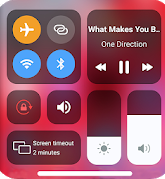 This is a simple app which allows you to easily access the control center on your phone. No more struggling with menus and options deep inside your phone – it simply allows you to change your settings visually. It helps you to quickly change settings like WiFi, Bluetooth, Screen Rotation, HotSpot, DND, Brightness, Flashlight and many more.
 For those who want to learn something new during their intermittent home stay these days, Learn HTML is a free app which helps you learn HTML 5 with 50+HTML lessons. It will teach you the latest standards of HTML with detailed explanations and examples with the option to try it out yourself.
 This is an easy and powerful tool to manage your files on Android devices. You can manage your files, folders, cloud storage and more. As soon as you install and start this app, you can visually see the files and folders on your device and how much space they occupy. It supports every file management actions (open, search, navigate directory, copy and paste, cut, delete, rename, compress, decompress, transfer, download, bookmark, and organize). File Manager Plus supports media files and major file formats including apk.
 Mx Player Online brings you FREE video streaming with more than 1.5 Million+ hours of content, including original web series, exclusive shows, free movies, TV shows, music and 100+ games with cash prizes. You will get best international content with Turkish drama, Hollywood movies, Korean web series, Pakistani tv shows, more premium TV series from across the globe in a single click. Besides, you also get an array of shows and movies in Tamil, Telugu, Kannada, Malayalam, Punjabi, Bengali & more languages. You may download movies and manage your content with a single tap.
 On-lyneTech